120+ Bundle Widget Themes for Shopify
Your offers should look like your store built them. Pick from 120+ native bundle themes, then fine-tune colors, fonts, and badges down to the element, no code required.
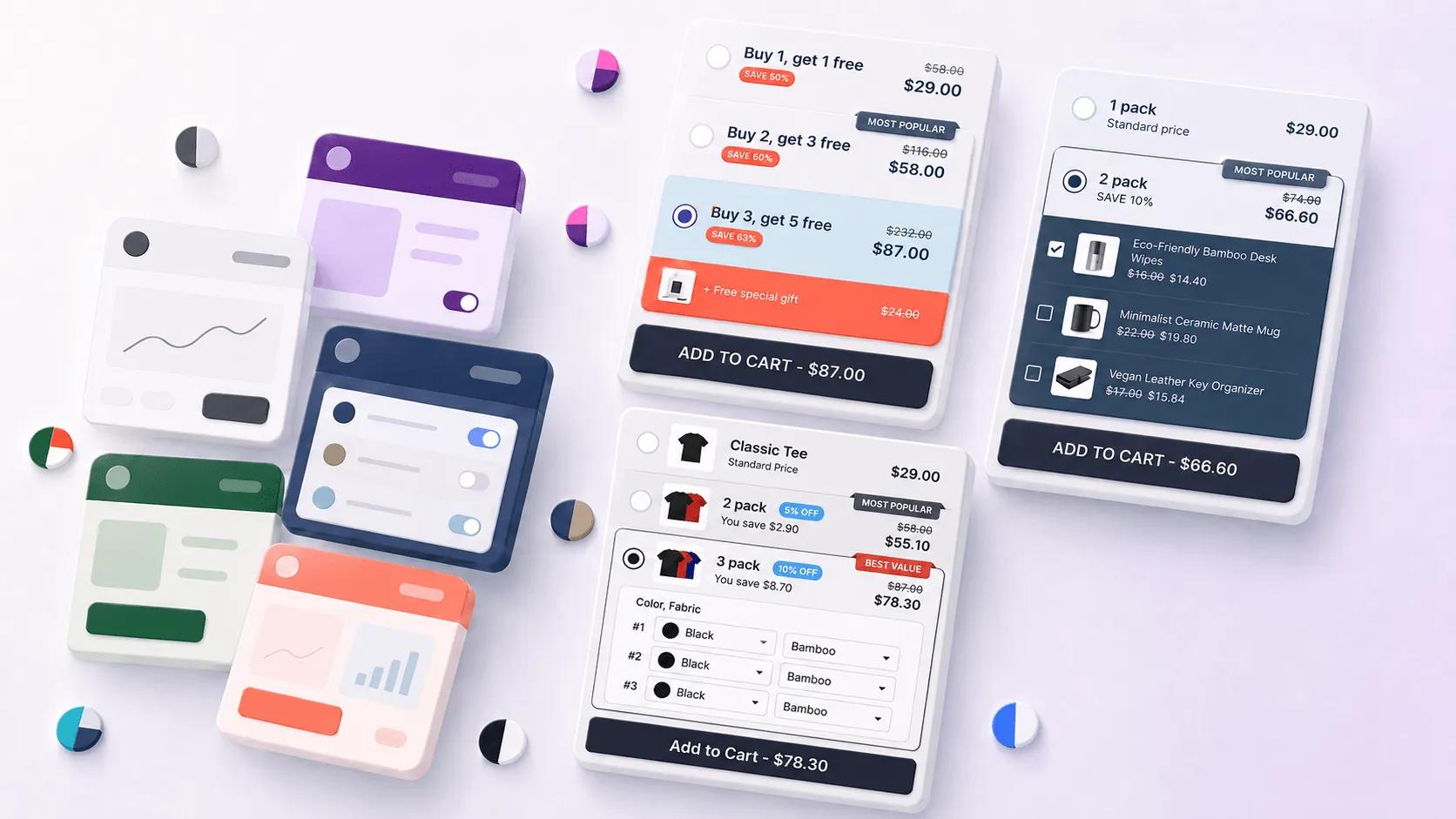
What are bundle themes?
Bundle themes are the pre-built designs your V Bundles widgets can wear. Instead of one fixed look, you choose from more than 120 native layouts and styles, from minimal tier selectors to rich card designs, and every one of them is a starting point you can adjust.
Styling goes down to the element level: colors, fonts, spacing, borders, labels, and badges can each be tuned individually. The goal is a widget that looks native to your storefront, because offers that look like your theme convert better than offers that look like an app.
What you can do with Bundle Themes
120+ ready-made designs
Browse a gallery of native layouts for every offer type and start from the one closest to your brand.
Element-level styling
Adjust individual colors, fonts, borders, and spacing per element instead of settling for a single accent color.
Badges and labels
Customizable badges like "Most popular" and "Best value", plus dynamic variables for personalized messaging.
No code required
Everything is configured visually in the app. Custom CSS is available on paid plans for edge cases.
How to set up Bundle Themes in V Bundles
- 1
Install V Bundles
Install V Bundles from the Shopify App Store and open it from your Shopify admin.
- 2
Open the design settings
Create or open an offer and go to its design step to see the theme gallery.
- 3
Pick a base theme
Browse the 120+ native themes and select the layout that best matches your storefront.
- 4
Fine-tune the elements
Adjust colors, fonts, badges, and labels at the element level until the widget reads as part of your theme.
- 5
Preview and publish
Check the design on desktop and mobile, then publish. You can restyle a live offer at any time.
Step-by-step guides
Related features
All featuresQuantity Breaks
Add quantity breaks to any Shopify product: tiered discounts like "buy 2, get 15% off" on the product page.
Learn moreFixed Bundles
Create fixed product bundles on Shopify: curated sets like kits and routines sold at one bundle price.
Learn moreSticky Add to Cart
Add a sticky add-to-cart button to Shopify product pages that opens your bundle deals in a popup.
Learn more