Fixed Product Bundles for Shopify
Hand-pick complementary products, set one bundle price, and sell the complete set. Fixed bundles are the simplest way to raise average order value without touching your theme code.
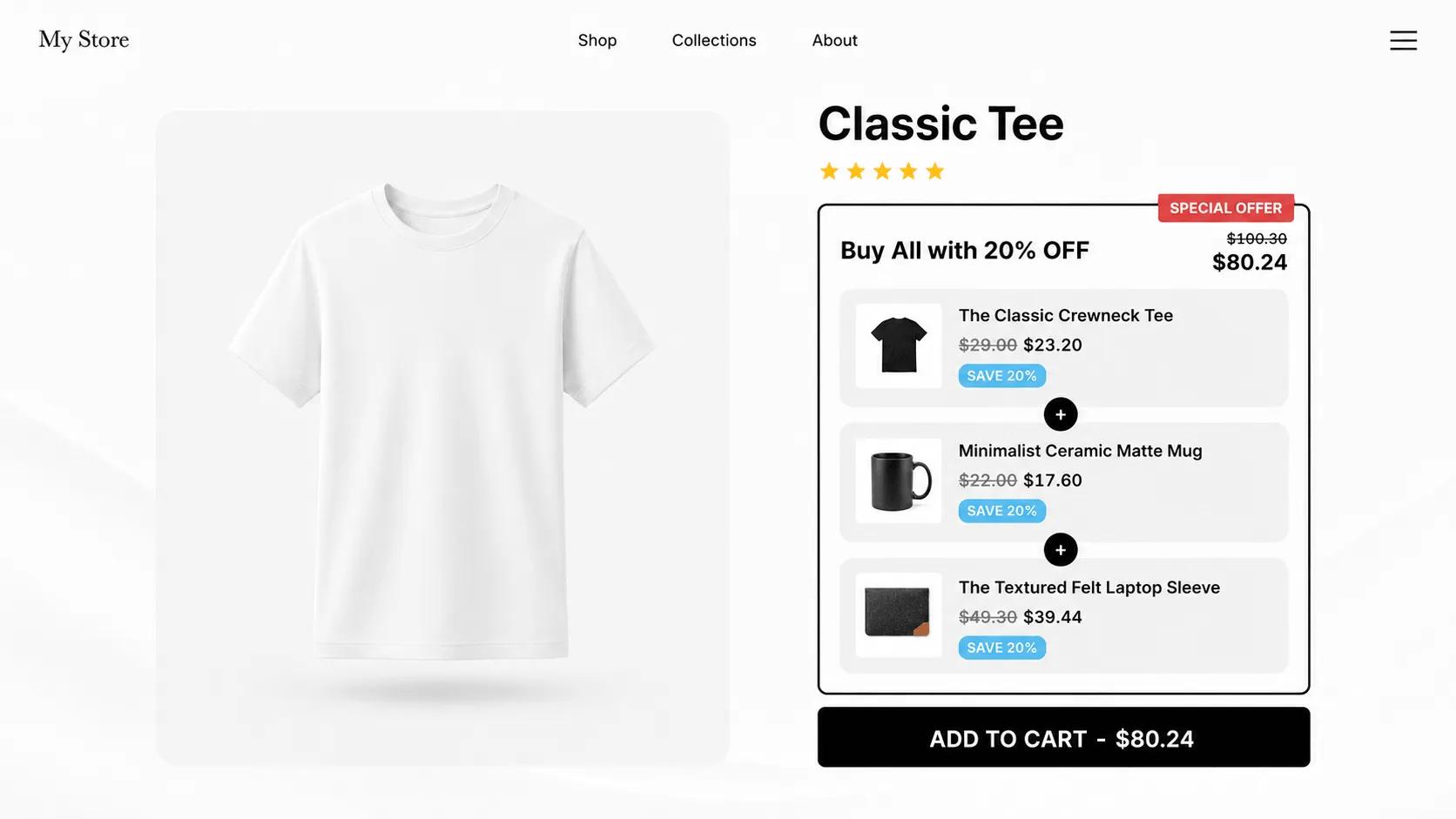
What is a fixed bundle?
A fixed bundle is a pre-selected group of products sold together at a single price. You choose which items go in the set, the customer buys the whole thing in one click. Classic examples are a "complete skincare routine", a starter kit, or a camera body paired with its most popular lens and bag.
In V Bundles, you build a fixed bundle by picking specific products or variants from your catalog and setting either a per-item discount or a custom total price. The offer appears as a widget on your product pages, and the discount applies automatically at checkout.
What you can do with Fixed Bundles
Hand-picked products and variants
Select the exact products, and even the exact variants, that belong in the set. Great for accessory packs and curated kits.
Flexible bundle pricing
Discount each item individually or set one custom total price for the whole bundle. Shoppers see exactly what they save.
Automatic discounts at checkout
No discount codes to distribute or forget. The bundle price carries through Shopify cart and checkout on its own.
Works with your existing catalog
Bundles reference your live products, so inventory, images, and prices stay in sync with your store.
How to set up Fixed Bundles in V Bundles
Follow this tutorial to create a three-product fixed bundle on Shopify using the Complete the Bundle template in V Bundles. Choose the products, set the discount, publish, and test the offer in your cart. Layout changes, product-page targeting, free gifts, and the paid countdown timer shown in the video are optional.
- 1
Install V Bundles and enable the app embed
Install V Bundles from the Shopify App Store. Follow the setup guide to enable the app embed in your theme, click Save, and return to the app.
- 2
Choose the Complete the Bundle template
Click Create widget and choose Complete the Bundle to start with a ready-made product bundle offer.
- 3
Select your fixed products and set the discount
In Deals, open the Complete the Bundle offer and expand the second bundle product slot. Choose Fixed product, click Select product, and pick the item to include. Use Fixed product for each additional item, then set the quantities and discounts for your offer.
- 4
Preview and publish the bundle
Check the products, offer text, and prices in the live preview. Save your changes and click Publish to display the bundle on your storefront.
- 5
Test the bundle in your cart
Open a product page where the bundle appears, select the offer, and add it to the cart. Check that the correct products and quantities are included and the expected discount is applied.
Related features
All featuresMix & Match Bundles
Mix and match bundles for Shopify: let customers build their own bundle by choosing from the options you curate.
Learn moreFrequently Bought Together
Add an Amazon-style Frequently Bought Together widget to your Shopify product pages.
Learn moreSubscription Bundles
Sell subscription bundles on Shopify with subscribe-and-save pricing, powered by Shopify's native selling plans.
Learn more