Buy X Get Y (BOGO) Deals for Shopify
Run classic "buy 2, get 1 free" promotions in minutes. The free item shows up in Shopify cart and checkout, so the value of the deal is impossible to miss.
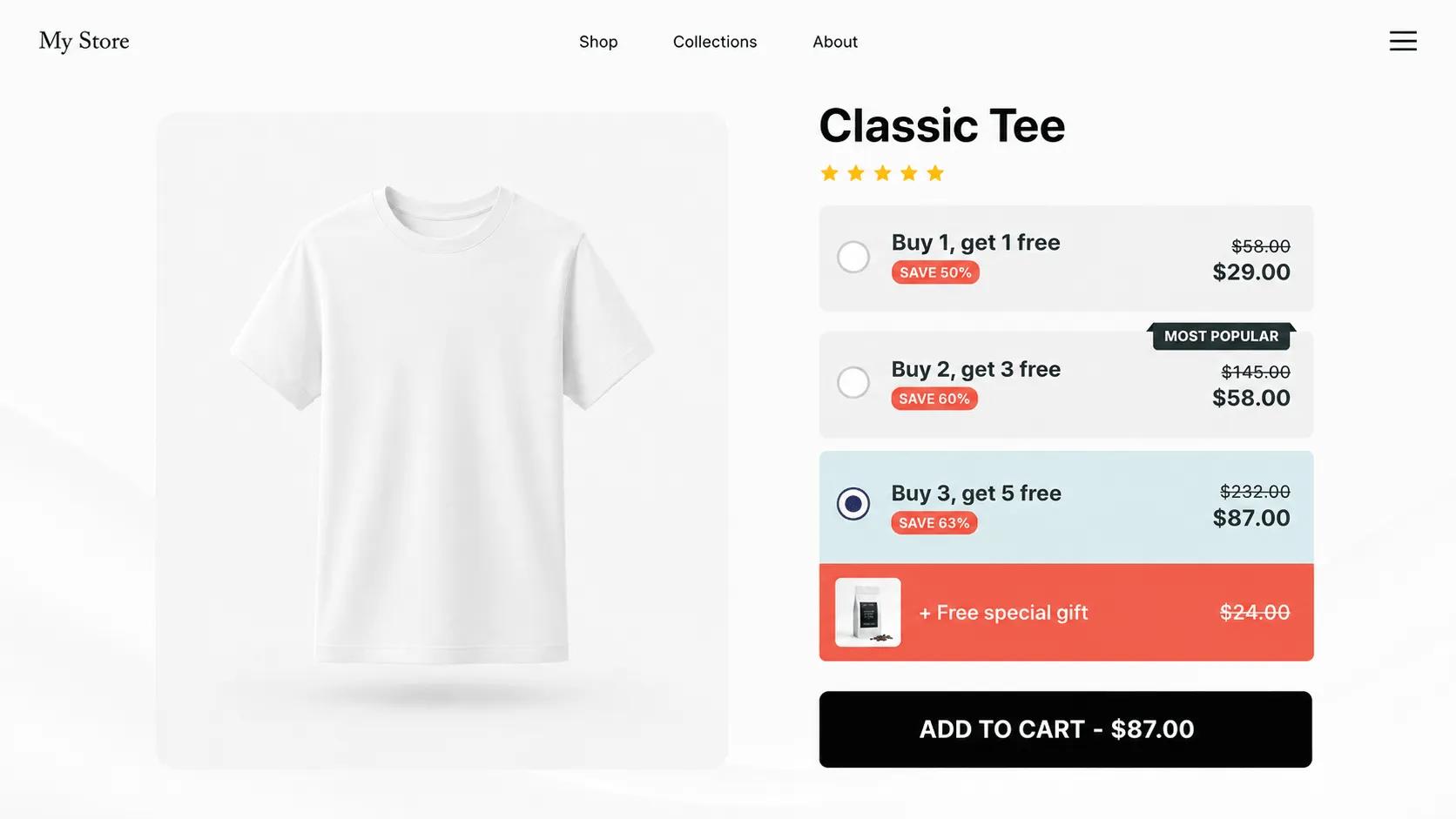
What is a Buy X Get Y deal?
Buy X Get Y (BXGY) is the promotion behind every "buy one, get one free" campaign: the customer buys a set quantity and receives additional items free or at a steep discount. It is one of the oldest offers in retail because "free" outperforms an equivalent percentage discount in almost every test.
In V Bundles you define the Buy quantity (X) and the Get quantity (Y), and the app calculates the deal price automatically. The distinguishing detail is presentation: the free items display as free in Shopify cart and checkout, which keeps the perceived value high all the way to payment.
What you can do with Buy X Get Y (BOGO)
True "free item" checkout display
Free items appear as free line items in Shopify cart and checkout, not as an opaque percentage discount.
Any X and Y combination
Buy 1 get 1, buy 2 get 1, buy 3 get 2. You set the quantities that fit your margins.
Automatic deal pricing
The deal price is calculated by the app, so there is no manual price juggling or code distribution.
Strong for clearance and launches
BOGO moves slow inventory and gives new products a low-risk way into the customer’s cart.
How to set up Buy X Get Y (BOGO) in V Bundles
- 1
Install V Bundles
Install V Bundles from the Shopify App Store and open it from your Shopify admin.
- 2
Create a BXGY deal
Click Create Bundle and choose the Buy X Get Y (BXGY) deals template.
- 3
Set the Buy and Get quantities
Define how many items the customer buys (X) and how many they get (Y). The deal price is calculated automatically.
- 4
Choose the products
Apply the deal to a single product or select which products qualify for the offer.
- 5
Style and publish
Customize the widget title, labels, and badges, preview the offer, and publish it to your store.
Step-by-step guides
Related features
All featuresFree Gift with Purchase
Offer a free gift with purchase on Shopify: attach gift products to any offer without cutting prices.
Learn moreQuantity Breaks
Add quantity breaks to any Shopify product: tiered discounts like "buy 2, get 15% off" on the product page.
Learn moreCountdown Timer
Show a countdown to a date you choose, with custom labels, styling, and a choice of end actions.
Learn more